1. 왜 CLI workflow를 세팅하는가
터미널에서 반복적으로 하는 작업은 생각보다 많다.
프로젝트 이동, 파일 탐색, 로그 확인, Git 작업, 문서 열람 같은 흐름을 키보드 중심으로 정리해두면 작업 속도뿐 아니라 컨텍스트 전환도 줄일 수 있다.
특히 최근에는 Claude Code, Codex 같은 터미널 기반 코딩 에이전트를 함께 사용하는 경우가 많아지면서,
터미널 자체를 잘 세팅해두는 것이 생산성과 직결될 것으로 보인다.
이 글에서는 내가 실제로 쓰는 터미널 에뮬레이터, 셸 보조 도구, TUI 유틸리티, 그리고 작업 흐름을 정리해본다.
나는 Git으로 주요 도구 세팅을 위한 config 파일을 관리하고 있다
요약 테이블
| 이름 | 분류 | 설명 |
|---|---|---|
| Ghostty | Terminal Emulator | 빠르고 가벼운 크로스 플랫폼 터미널 에뮬레이터 |
| Wezterm | Terminal Emulator | 크로스 플랫폼 지원과 멀티플렉서 기능까지 갖춘 터미널 에뮬레이터 |
| taproom | Package Manager UI | Homebrew 패키지 목록 조회, 설치, 삭제, 업데이트를 TUI로 처리하는 도구 |
| btop | System Monitor | CPU, 메모리, 디스크, 네트워크, 프로세스를 보기 좋게 보여주는 리소스 모니터 |
| bat | File Viewer | cat을 대체하는 문법 강조 지원 파일 뷰어 |
| zoxide | Shell Utility | 자주 가는 경로를 빠르게 이동하게 해주는 cd 대체 도구 |
| eza | Shell Utility | 아이콘과 트리 보기 등을 지원하는 ls 대체 도구 |
| fzf | Fuzzy Finder | 파일, 디렉토리, 히스토리를 빠르게 찾는 fuzzy finder |
| glow | Markdown Viewer | 마크다운 문서를 터미널에서 보기 좋게 렌더링하는 도구 |
| chafa | Media Viewer | 이미지를 터미널 출력으로 보여주는 도구 |
| csvlens | CSV Viewer | CSV 파일을 필터링, 정렬, 탐색하면서 볼 수 있는 뷰어 |
| starship | Prompt | 셸 프롬프트를 빠르게 꾸밀 수 있는 커스터마이징 도구 |
| zsh-completions | Shell Plugin | zsh 자동완성 항목을 확장하는 플러그인 |
| zsh-syntax-highlighting | Shell Plugin | 입력 중인 명령어의 문법을 색상으로 보여주는 플러그인 |
| zsh-autosuggestions | Shell Plugin | 히스토리 기반으로 명령어를 자동 제안하는 플러그인 |
| tmux | Terminal Multiplexer | 세션, 윈도우, 패인을 관리하며 여러 터미널 작업을 동시에 다루는 도구 |
| yazi | File Manager | 파일 탐색, 이동, 복사, 삭제를 터미널에서 빠르게 처리하는 파일 매니저 |
| lazygit | Git Client | Git 작업을 터미널 UI로 처리하는 도구 |
| gh dash | GitHub Client | GitHub PR, Issue, Review 등을 터미널에서 관리하는 도구 |
| uv | Package Manager | 빠른 Python 패키지 및 프로젝트 매니저 |
| neovim | Editor | 확장성과 생산성을 중시하는 터미널 기반 편집기 |
2. My setup
Terminal Emulator
Note
- 터미널의 외부 껍데기 + 부가 기능들
- 어차피 다 커스텀하면 비슷한 느낌으로 사용 가능
- 아래 둘 중 하나만 사용하면 된다
Ghostty : a fast, feature-rich, and cross-platform terminal emulator
- anthropic에서 요즘 사용한다고 하는 터미널 에뮬레이터?
- 설치
brew install --cask ghostty
Wezterm : a powerful cross-platform terminal emulator and multiplexer
- window에서도 사용가능한 ‘cross-platform’ 에뮬레이터 (+ 멀티플렉서 기능까지. 하지만 나는 tmux 사용)
- 설치
brew install --cask wezterm
CLI 도구들
Note
- 가벼움과 실용성을 모두 누리고 싶을 때, 다양한 CLI , TUI 도구들을 찾아보자
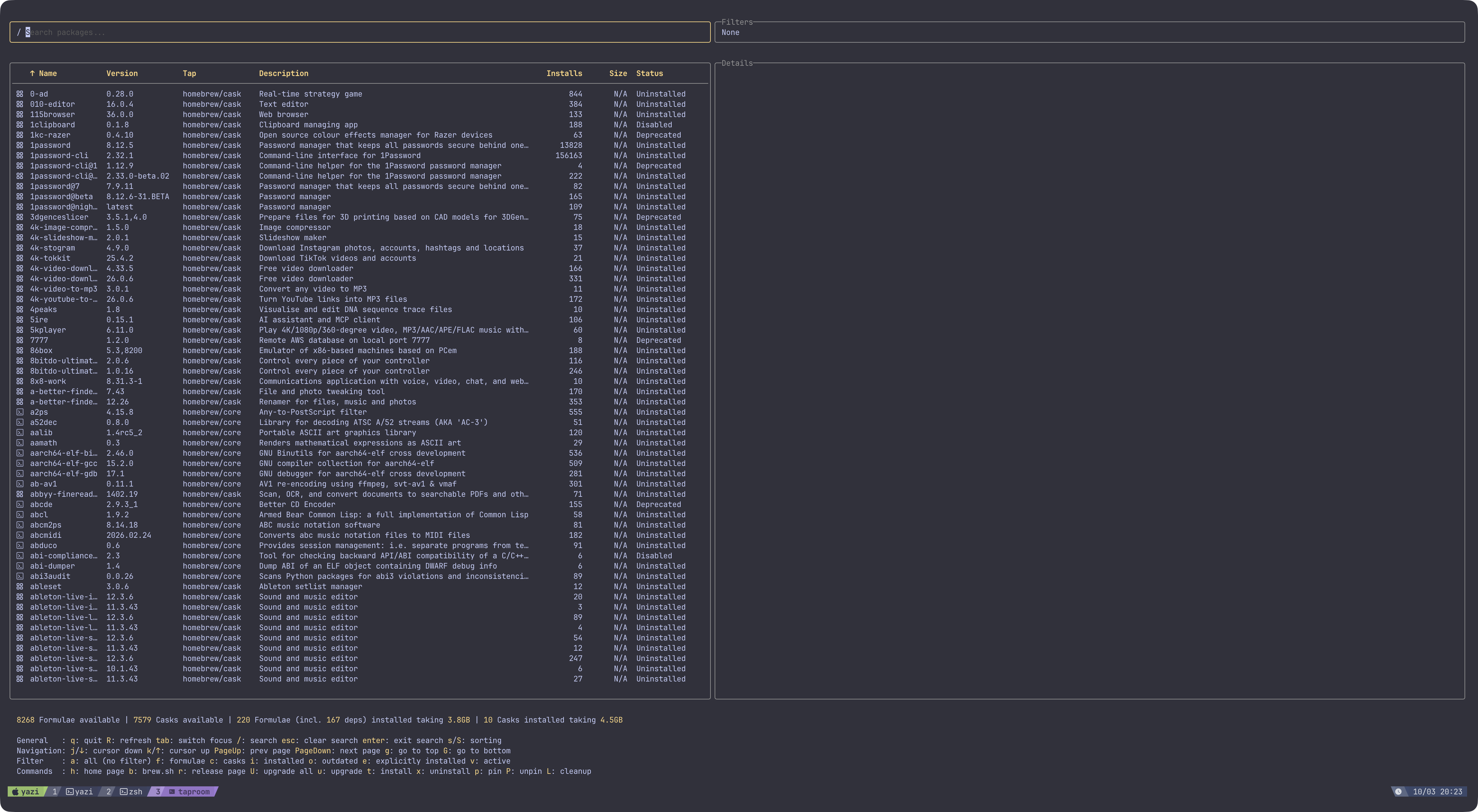
taproom : cozy terminal user interface (TUI) for Homebrew
- brew로 설치가능한 목록, 설치한 목록, outdated된 목록 등을 모두 보고 설치/삭제/업데이트 가능
- 설치
brew install gromgit/brewtils/taproom - 화면
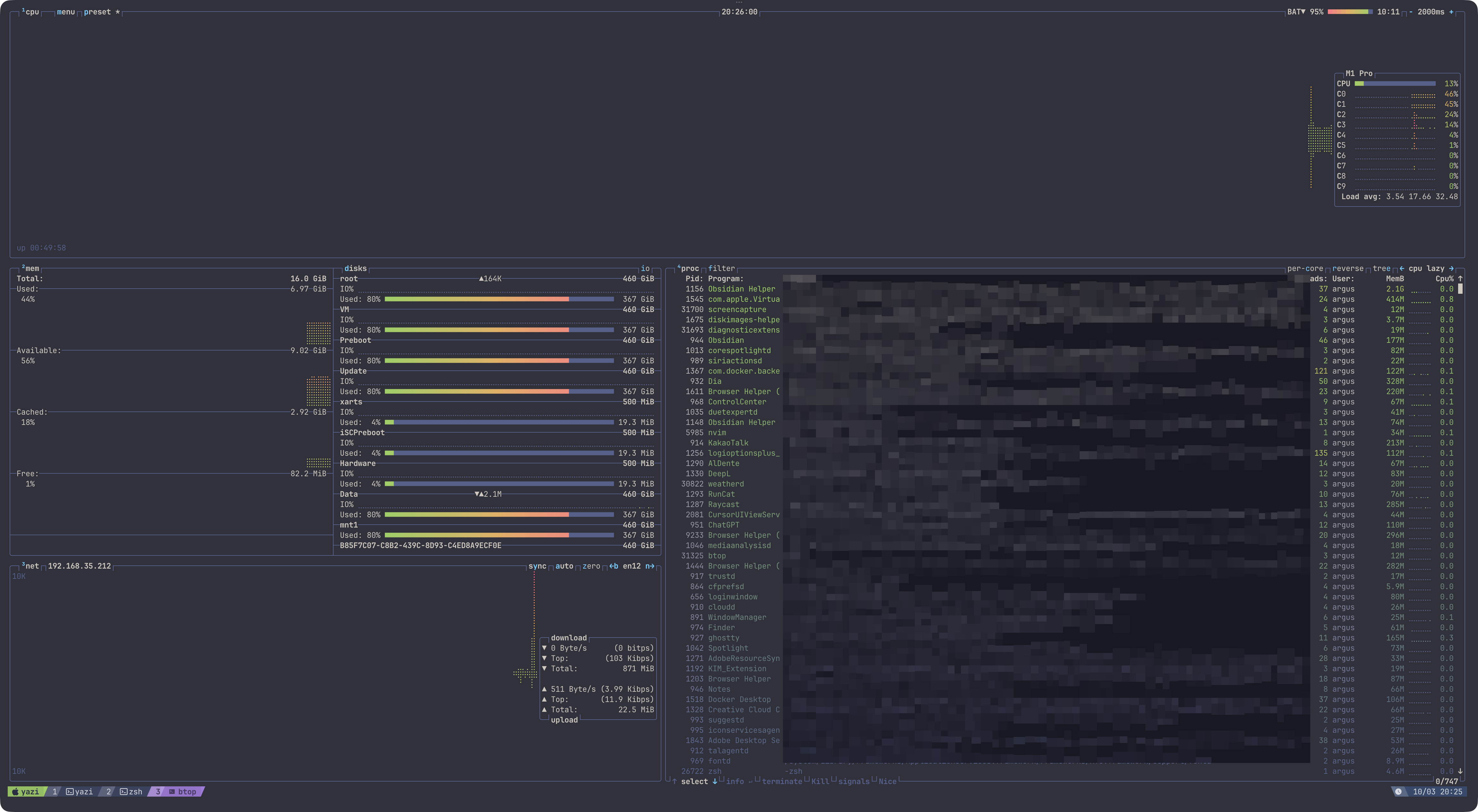
btop : Resource monitor that shows usage and stats for processor, memory, disks, network and processes
- htop보다 예쁜 resource monitor
- 설치
brew install btop - 화면
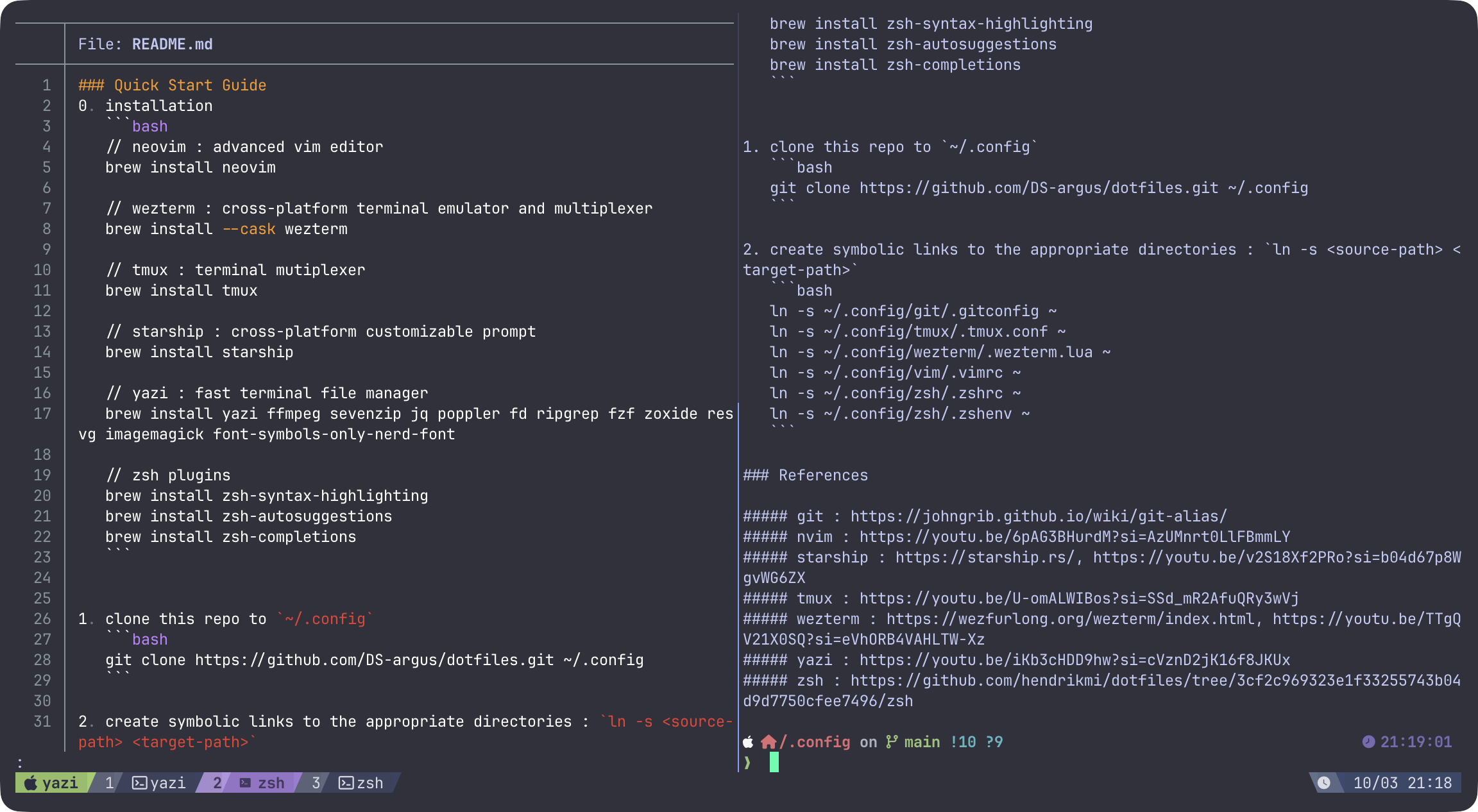
bat : better cat
- cat 상위호환
- 설치
brew install bat - 예시 : 좌측 bat / 우측 cat
zoxide : smarter cd command
- cd 상위호환
- 설치
brew install zoxide - 아예 zsh에서 alias로 대체하면 된다
# aliases for zoxide
alias cd="z"
eza : A modern replacement for ls
- ls 상위호환
- 설치
brew install eza - 마찬가지로 아예 zsh에서 alias로 대체하면 된다
# aliases for eza
alias ls="eza --icons=always"
alias ll="eza -lah --icons=always"
alias la="eza -a --icons=always"
alias lt="eza -aT -L1 --color=always --group-directories-first --icons"
alias lt2="eza -aT -L2 --color=always --group-directories-first --icons"
alias lt3="eza -aT -L3 --color=always --group-directories-first --icons"
fzf : general-purpose command-line fuzzy finder
- interactive한 터미널 탐색기
- 설치
brew install fzf - 단축키 : zsh에 추가해야 함 -
CTRL+T: 현재 디렉토리 기준 파일/디렉토리 경로 문자열로 붙이기 -CTRL+R: 터미널 입력 히스토리 목록 문자열로 붙이기 -ALT+CorESC+C: 현재 디렉토리 기준 폴더 목록으로 이동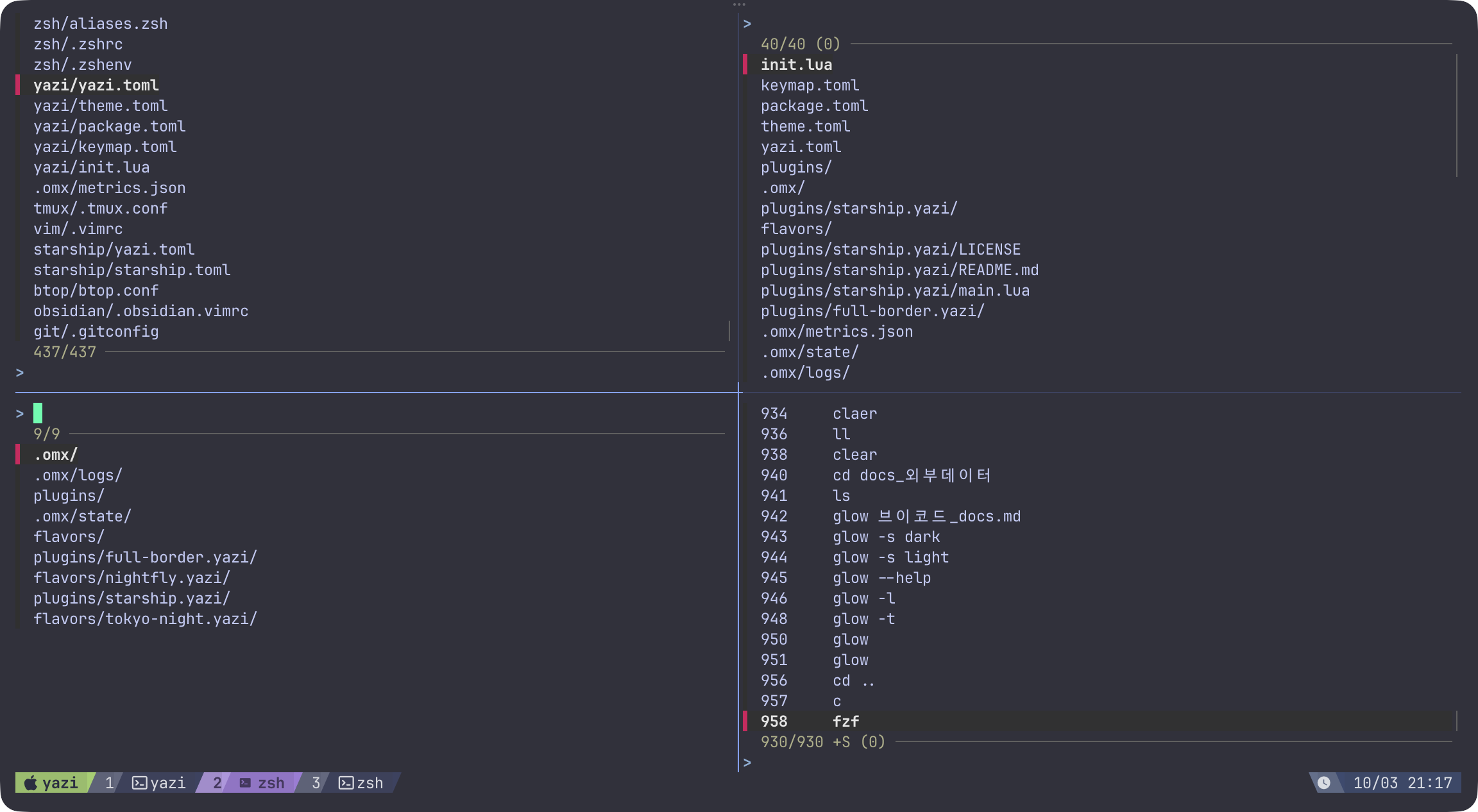 1
1
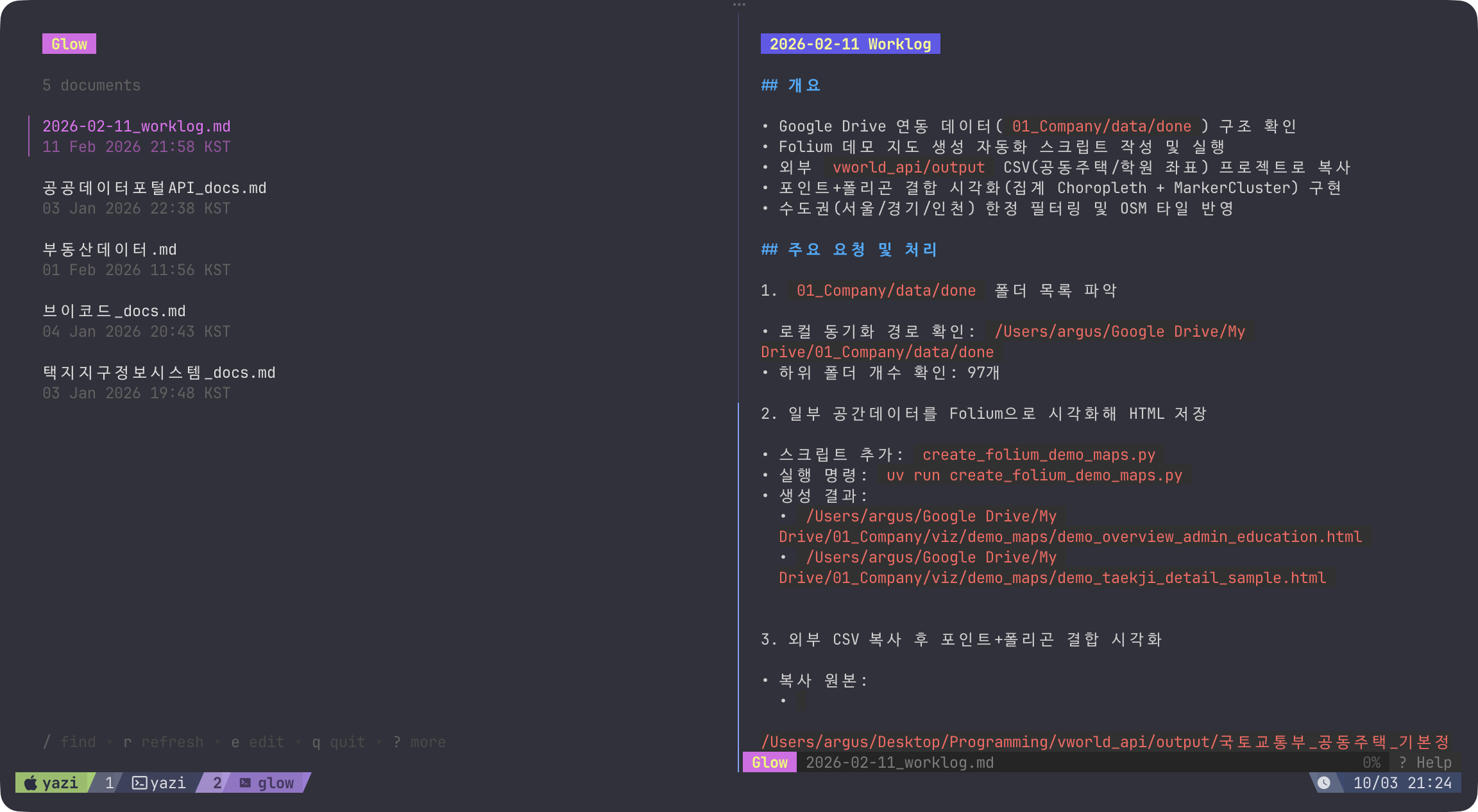
glow : Render markdown on the CLI
- 바이브코딩할 때 가장 많이 보는 문서인 마크다운을 터미널에서 예쁘게 보기 (물론 neovim으로 봐도 됨)
- 설치
brew install glow - 화면 : glow만 입력할 경우, md 파일 목록이 뜨고 선택 가능
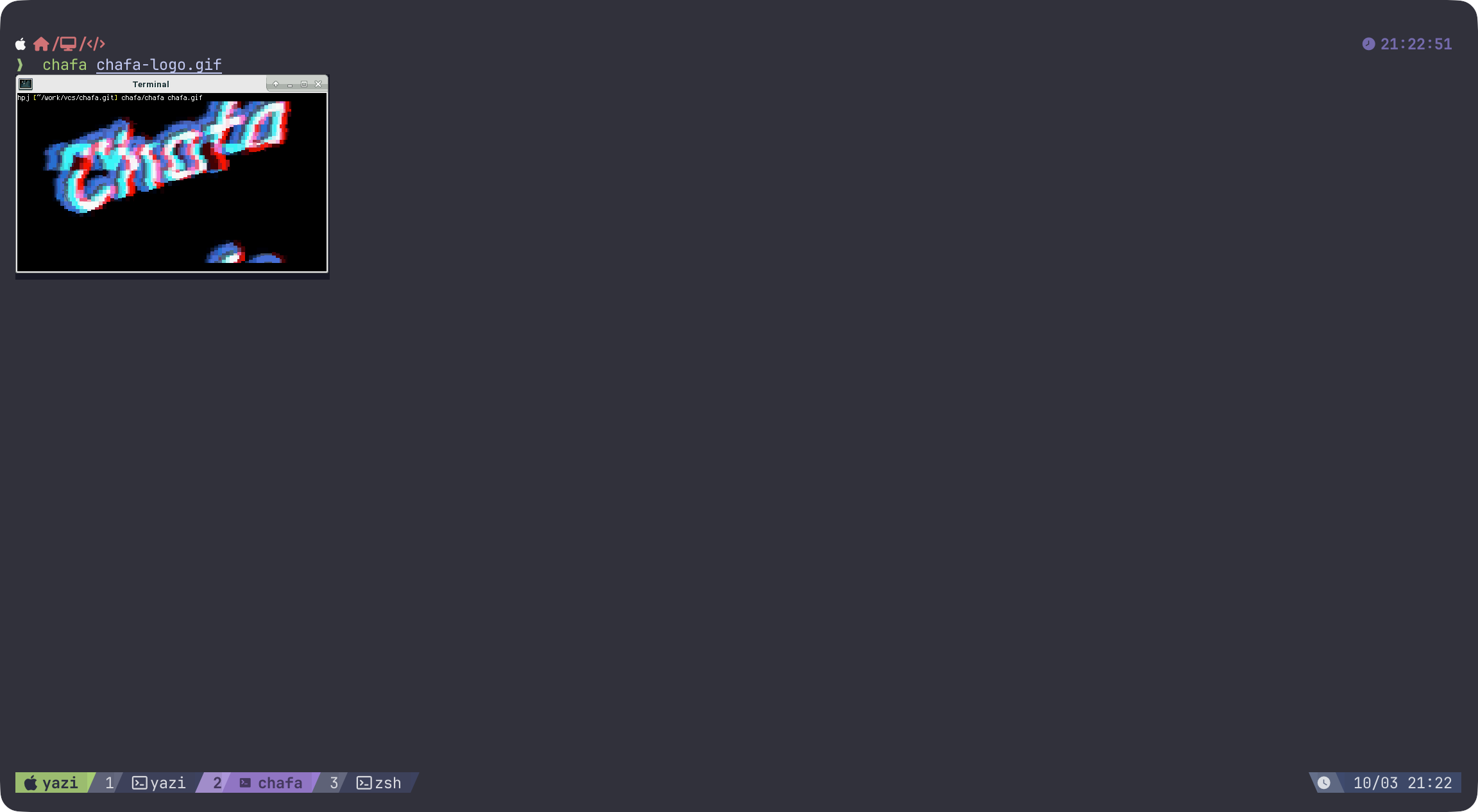
chafa : Terminal graphics for the 21st century
- 터미널에서 이미지 출력
- 설치
brew install chafa - 화면 : gif도 보이긴 하지만 멈추는 이슈가 있어보임
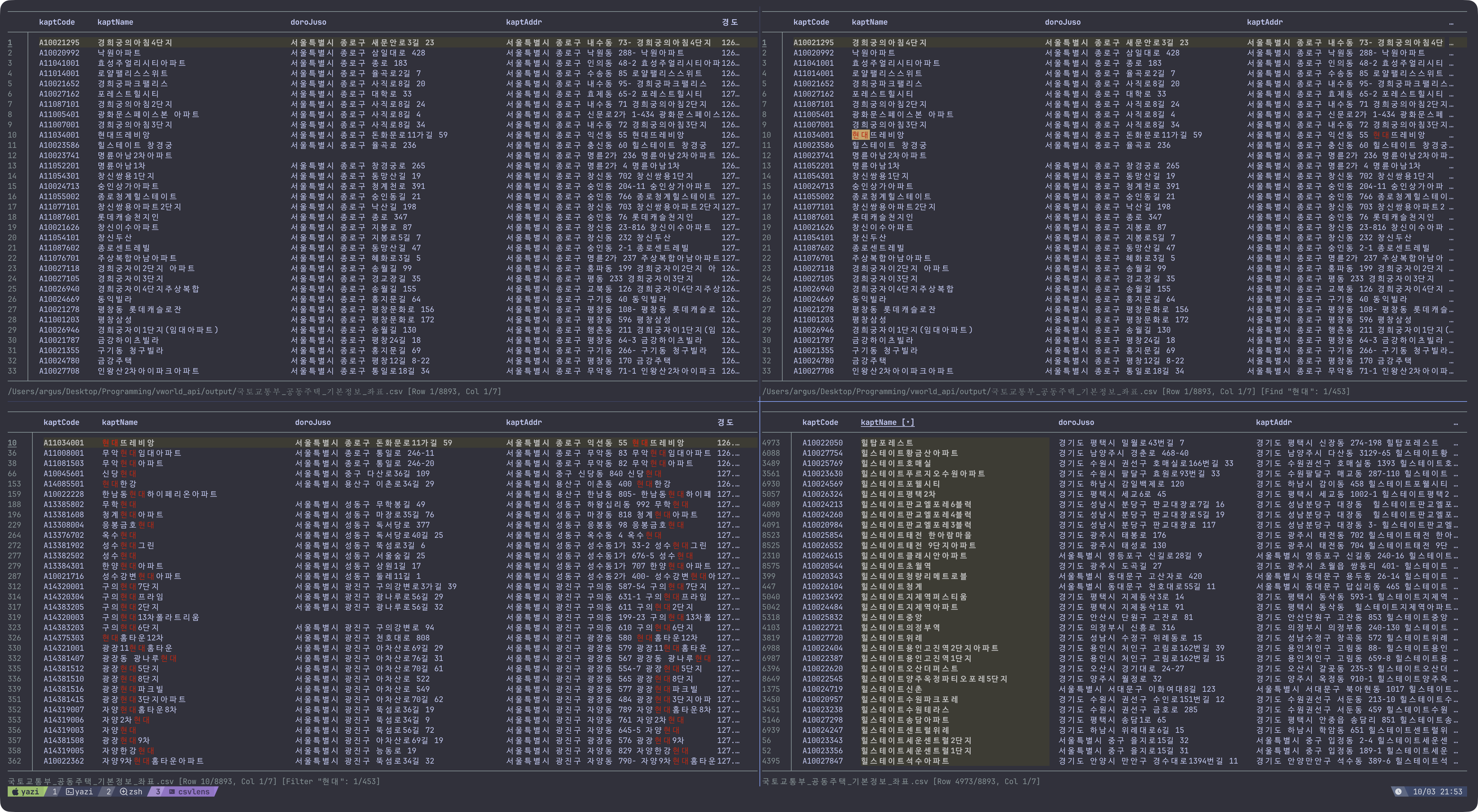
csvlens : Command line CSV file viewer
- 마찬가지로 바이브코딩할 때 많이 볼 수 있는 csv 를 터미널에서 예쁘게 보기
- 설치
brew install csvlens - 화면 : row/column/cell 선택, 키워드 필터링, 컬럼 정렬, 컬럼 너비 조절 등 거의 모든 것이 다 가능
starship : The minimal, blazing-fast, and infinitely customizable prompt for any shell!
- 터미널 prompt 꾸미는 도구
- 설치
brew install starship
zsh-completions : Additional completion definitions for Zsh
- zsh 기본 자동완성 항목을 보강하는 플러그인
- 설치
brew install zsh-completions - zsh에 추가 :
compinit전에fpath를 먼저 추가fpath+=("$(brew --prefix)/share/zsh-completions") autoload -U compinit && compinit
zsh-syntax-highlighting : Fish shell like syntax highlighting for Zsh
- 입력 중인 명령어의 문법과 유효성을 색상으로 보여주는 플러그인
- 설치
brew install zsh-syntax-highlighting - zsh에 추가 :
.zshrc가장 아래쪽에 두는 편이 안전하다source "$(brew --prefix)/share/zsh-syntax-highlighting/zsh-syntax-highlighting.zsh"
zsh-autosuggestions : Fish-like autosuggestions for zsh
- 이전 히스토리를 기반으로 다음 명령어를 자동 제안하는 플러그인
- 설치
brew install zsh-autosuggestions - zsh에 추가
source "$(brew --prefix)/share/zsh-autosuggestions/zsh-autosuggestions.zsh"
tmux : Terminal multiplexer
- 터미널 환경에서 자유롭게 화면을 생성, 분할, 이동하고 여러 작업 환경을 관리할 수 있는 도구로 바이브 코딩에 최고
- 설치
brew install tmux - 이미 블로그에서 소개했다
yazi : Blazing fast terminal file manager written in Rust, based on async I/O
- 더 이상 파일탐색기, finder가 필요 없다
- 설치 : 기능이 많기 때문에 다양한 Dependencies가 있음
brew install yazi ffmpeg-full sevenzip jq poppler fd ripgrep fzf zoxide resvg imagemagick-full font-symbols-only-nerd-font- 화면
- vim 방향키로 빠르게 탐색 가능하고 생성, 삭제, 복사, 이름 변경 등 대부분의 기능이 단축키로 가능
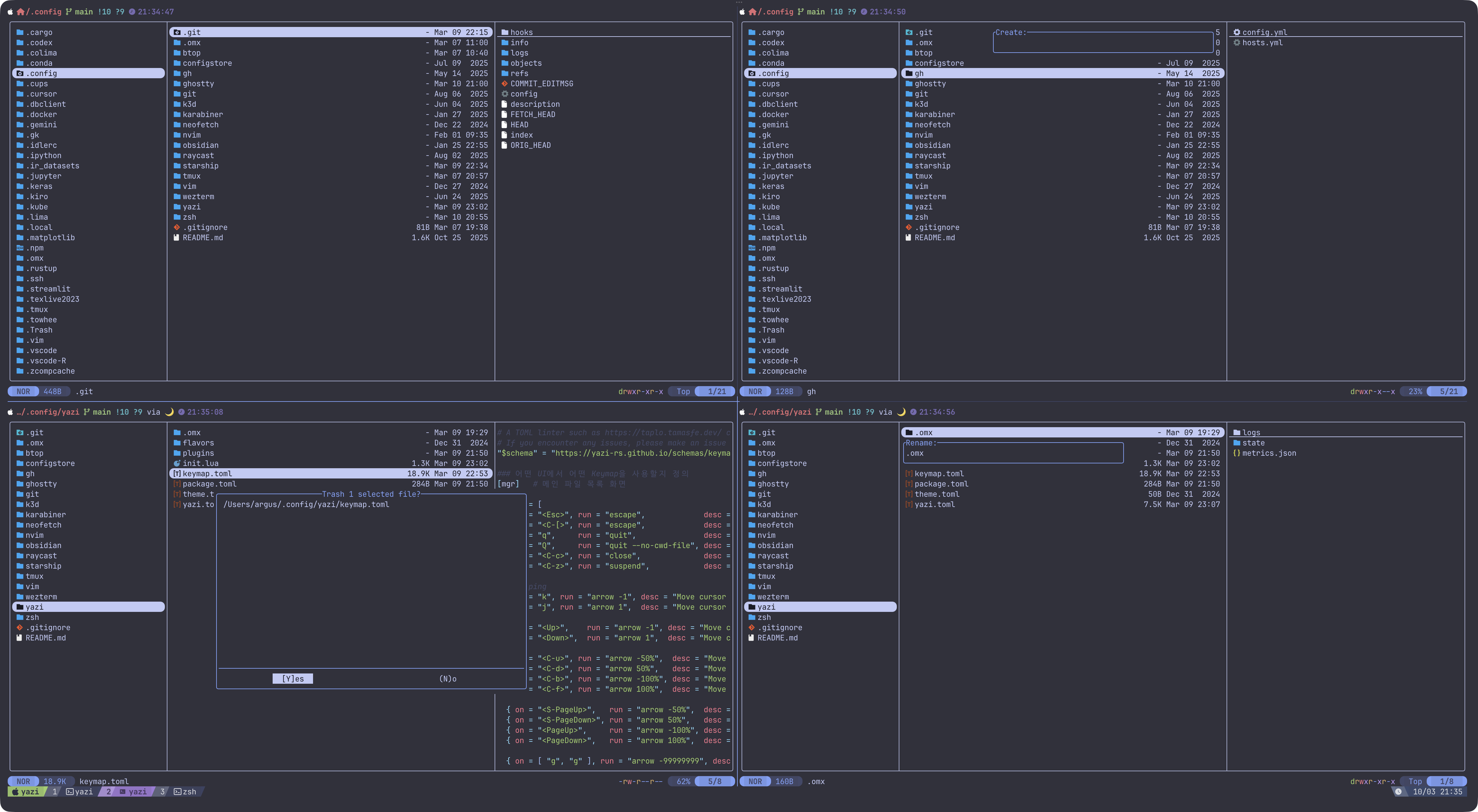
- 파일도 바로 원하는 편집기로 열 수 있으며 interactive하게 원하는 옵션 선택 가능
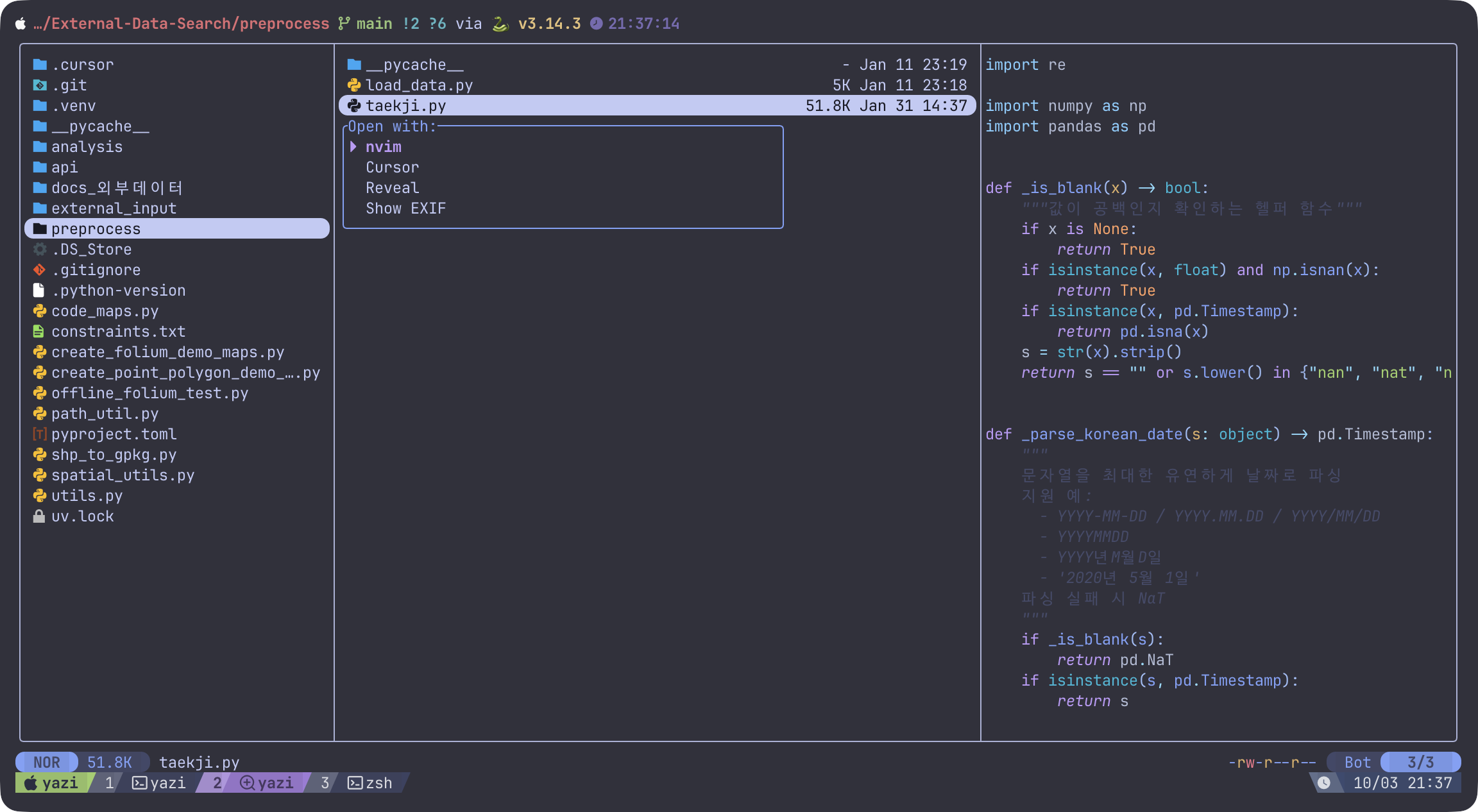
- vim 방향키로 빠르게 탐색 가능하고 생성, 삭제, 복사, 이름 변경 등 대부분의 기능이 단축키로 가능
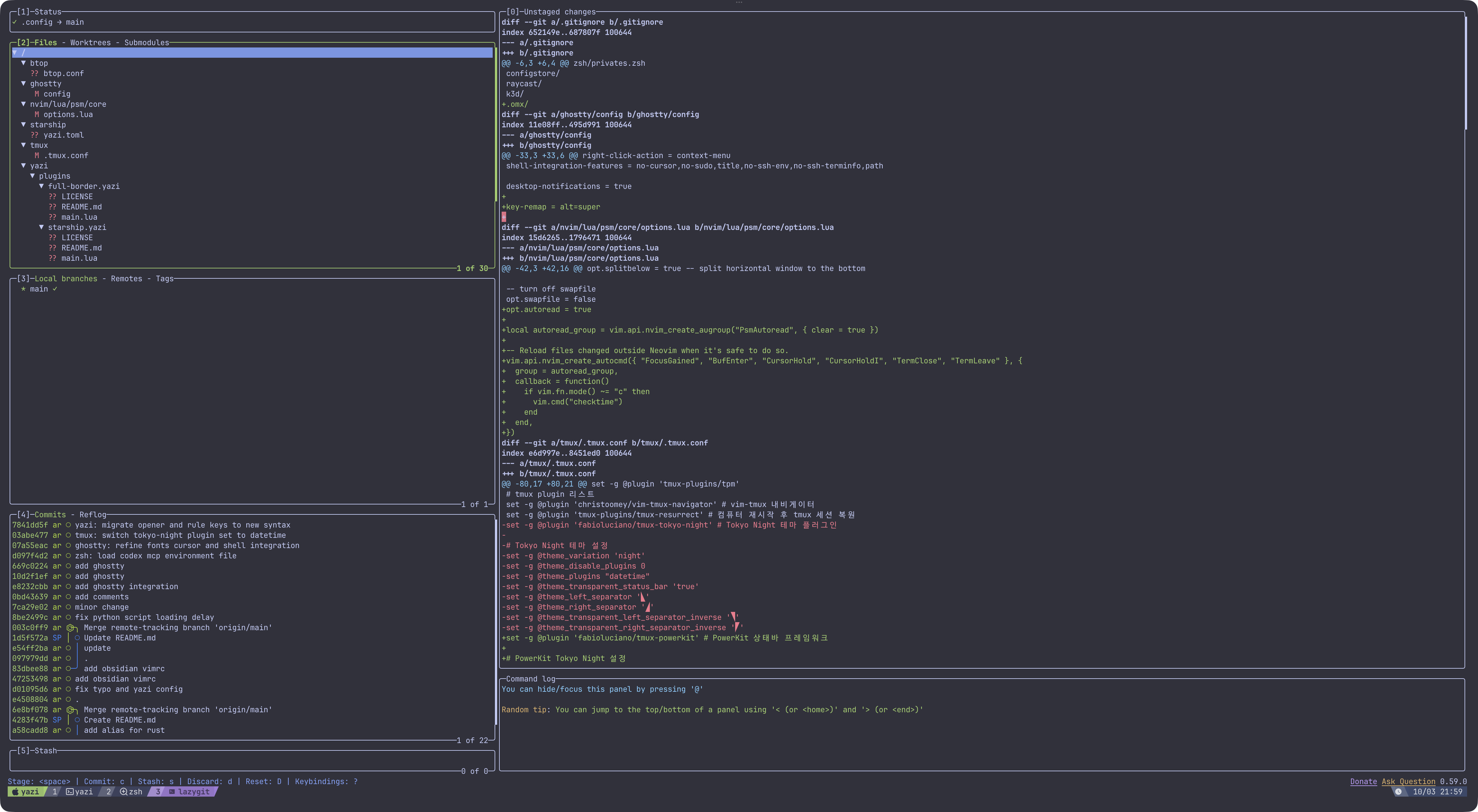
lazygit : Simple terminal UI for git commands
- git을 TUI로 보기 좀 더 편하게.
- 설치
brew install lazygit - 화면
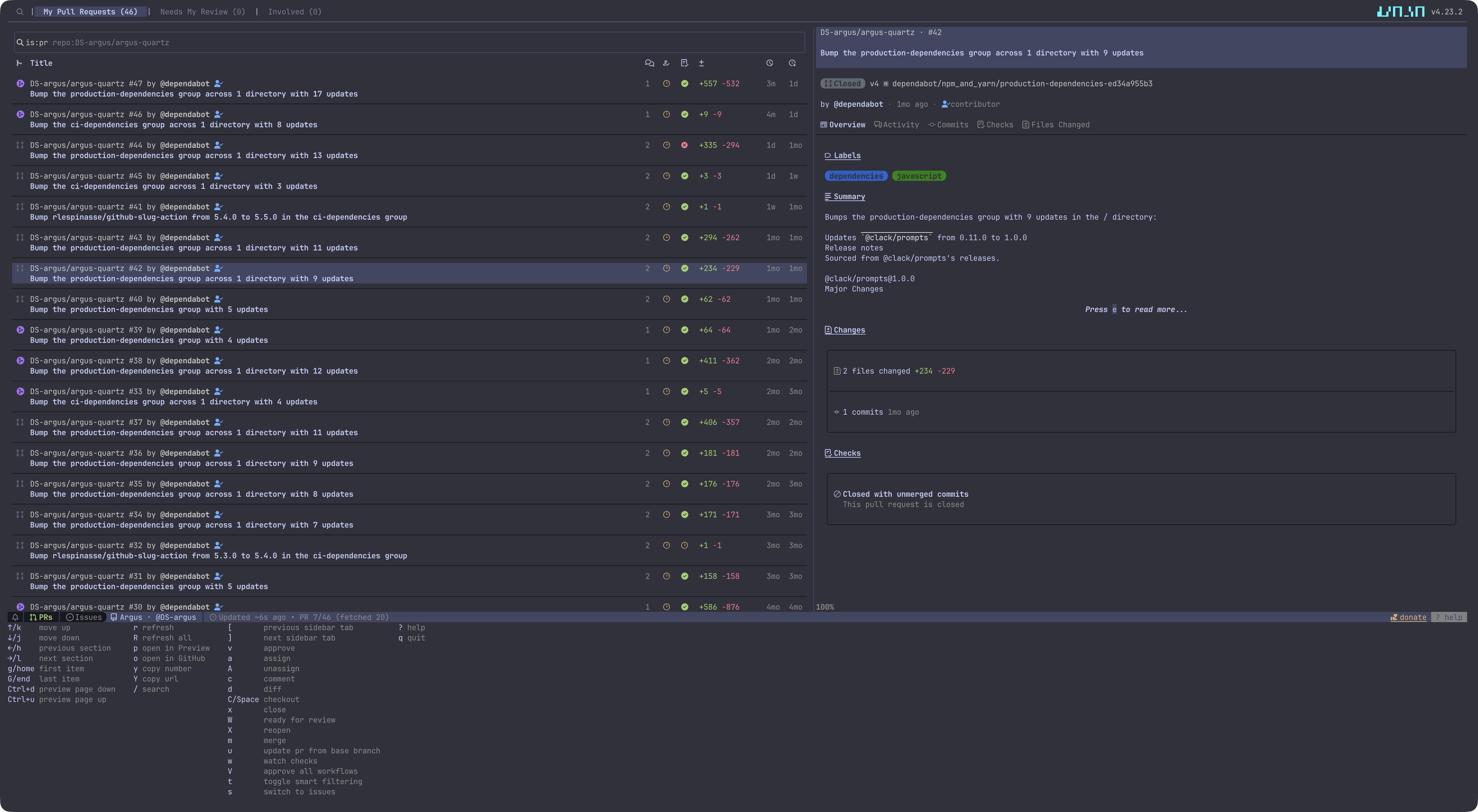
gh dash : A rich terminal UI for GitHub that doesn’t break your flow
- github을 TUI로 처리. PR, Issue, Review, Merge, Comment 등을 처리 가능
- 설치
brew install gh gh extension install dlvhdr/gh-dash - 화면
uv : An extremely fast Python package and project manager, written in Rust
- 파이썬 패키지 매니저 끝판왕
- 설치
brew install uv - 블로그에 정리했었다
neovim : Vim-fork focused on extensibility and usability
- (어차피 직접 코딩할 일이 크게 없지만) 이것으로 단순 md뿐만 아니라 코딩까지 해결. IDE까지 필요없다.
- 설치
brew install neovim
Footnotes
-
좌측 상단부터 시계방향으로 fzf / ctrl+t / ctrl+r / esc+c ↩